
Samsung Card taptap O is designed for modern lifestyles, combining flexibility with rewarding perks. From daily purchases to entertainment and travel, this card adapts to your habits.
It offers valuable cashback, practical discounts, and easy mobile access. This guide provides everything you need to apply and use the Samsung Card taptap O with confidence.


Overview of Samsung Card taptap O
The Samsung Card taptap O is a lifestyle credit card that tailors benefits based on your choices. Whether you're into shopping, coffee, or commuting, you can customize it to suit your needs.

The card supports contactless payments and is accepted both in Korea and abroad. New users enjoy a 100% cashback on their first annual fee.
Key features include industry-specific discount packages, mobile payment compatibility, and international usability.
You also get access to bonus programs, exclusive partnerships, and flexible service packages.
Top Benefits of Samsung Card taptap O
Samsung Card taptap O offers a wide range of lifestyle discounts and features. The card’s standout benefits include annual fee cashback, discount packages, and payment flexibility.
It supports mobile and contactless payments, allowing for fast and convenient usage. Let’s break down the main advantages that make this card attractive.
- 100% cashback on the first year’s annual fee (once per person)
- Lifestyle Packages: Coffee, Shopping, Public Transport, and Telecom options
- 5,000 won discount on movie tickets (CGV and Lotte Cinema)
- Contactless payment is supported domestically and overseas
- Customizable benefits via Samsung Card and Monimo apps
How to Apply for Samsung Card taptap O?
There are two simple ways to apply for this card: online or in person. Both methods require ID and basic documentation.
You should apply before the 13th of the month to qualify for the cashback promotion. Once approved, your card will be delivered to your registered address.
Online Application Steps
Applying online is quick and can be done using your smartphone or computer. This method is best if you prefer convenience and faster processing.
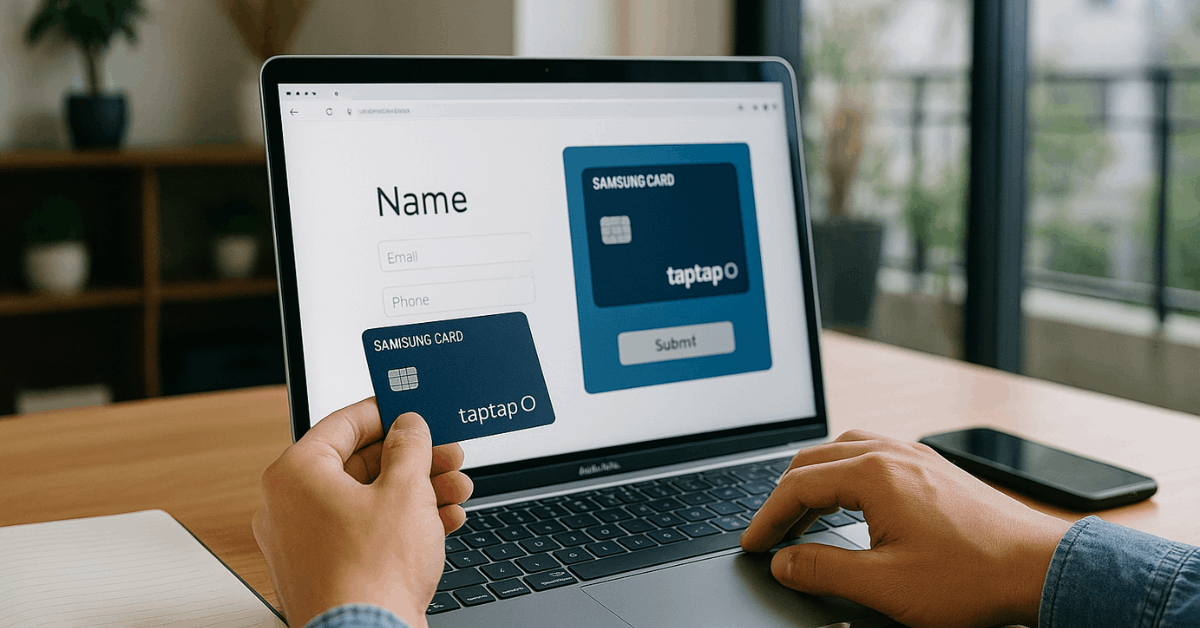
- Visit the Samsung Card website or use the Monimo app
- Select "taptap O" and click "Apply"
- Upload necessary documents (ID, proof of residence, etc.)
- Complete mobile verification and consent forms
- Submit the application and wait for confirmation
In-Person Application Steps
If you prefer face-to-face service or need personal assistance, applying in person is a solid option. This method is ideal if you want to ask questions directly at a branch.
- Visit a Samsung Card branch or an affiliated bank location
- Request an application form for Taptap O
- Present your identification and supporting documents
- Complete and submit the form on-site
- Await approval and card delivery
Event Period and Eligibility for Cashback
The 100% annual fee cashback is part of a monthly promotional event. To qualify, your card issuance must be completed by the 13th of the following month.
Cashback is available once per person during the first year. You must apply through the correct platforms and meet all requirements.
Eligibility includes having a Korean mobile number and signing up through the Monimo app. The cashback is automatically credited if conditions are met.
It does not apply to reissued or renewed cards. Issuance delays beyond the 13th may disqualify your eligibility.
Lifestyle Package Options
Samsung Card taptap O allows you to choose one lifestyle package per month. This gives you access to targeted discounts depending on your routine.
You can update your package monthly using the Samsung Card app. The change becomes effective on the 1st of the following month.
Coffee Package
The Coffee Package is perfect for cardholders who enjoy their daily caffeine fix. It offers generous discounts at major coffee chains every month.
- 50% discount at Starbucks (up to 10,000 won/month)
- Additional partner cafés: Coffee Bean, Twosome Place, Angelinus
- Ideal for daily coffee buyers or remote workers
- Discounts apply automatically on payment date
Shopping Package
The Shopping Package is ideal for online shoppers and fashion-forward users. It combines cashback deals with loyalty point benefits.
- 7% discount on open markets and social commerce platforms
- 1% accumulation on purchases at Coupang, Timon, and Gmarket
- Applies to online and mobile purchases
- Includes savings at Trendy Shops like Olive Young and Uniqlo
Additional Monthly Discounts
These discounts apply automatically if you meet the monthly spending requirement. The threshold is typically 10,000 won from the previous month.
If met, you receive benefits in the following month. These apply even if you change your Lifestyle Package.
Public Transport and Taxi
This benefit is ideal for commuters who rely on public transit or taxis. It offers a valuable monthly discount when linked with a postpaid transportation setup.
- 10% billing discount on bus, subway, and taxi fares
- Limit: 5,000 won per month
- Requires postpaid transportation setup
- Benefit provided for 1 month regardless of usage history
Telecom Charges
Samsung Card taptap O helps you cut down on mobile expenses through automatic telecom bill payments. Major Korean telecom providers are eligible for this monthly discount.
- 10% billing discount for SKT, KT, and LG U+ payments
- Must use automatic payment with Samsung Card
- Limit: 5,000 won per month
- Applies even if usage was low in the previous cycle
Movie Tickets (CGV, Lotte Cinema)
Enjoy regular movie nights with discounted tickets at top cinema chains. This benefit is limited but valuable for entertainment lovers.
- 5,000 won discount on tickets over 10,000 won
- Available twice per month, up to 12 times a year
- Valid for in-person and online purchases
- Only for standard tickets, not packages or combos
Contactless Payment Features
Samsung Card taptap O supports contactless payments. If your card has the wave icon, it can be tapped on terminals without inserting or swiping.
This makes payments faster, more hygienic, and accepted globally. It works with any merchant that supports NFC technology.
It’s especially useful during travel and daily transit. You can enable or disable this feature through the Samsung Card app.
Contactless use does not affect your cashback or discounts. Transactions are still tracked for rewards and billing discounts.
Managing Your Card via Mobile Apps
The card is fully manageable through the Samsung Card or Monimo apps. You can switch packages, view discounts, and monitor usage.
The apps are free and available on iOS and Android. They also support digital card activation.
Key functions include real-time expense tracking and customer support chat. You’ll receive updates on new promotions and app-exclusive offers.
You can also lock or report your card in case of loss. This helps you stay in control at all times.
Interest Rates and Repayment Terms
Interest rates vary based on the cardholder's credit score and repayment history. The maximum annual interest rate is 20%, including late fees.
If you pay in full within the grace period, no interest is charged. Installments and partial payments may incur additional interest.
- Installment options range from 2 to 12 months
- Grace period: up to 30 days after the billing cycle ends
- Late fees apply if payment is missed beyond the grace period
- No interest for lump sum purchases repaid within 2 months
Always read the card agreement carefully. Interest rates may be adjusted based on market trends. Using the app can help you monitor repayment status. Avoid minimum payments to reduce interest burden.
Disclaimer
Information in this guide may change over time depending on Samsung Card policies. Always refer to the official Samsung Card website for the most accurate and updated details. Terms, benefits, and interest rates are subject to modification without prior notice.
Contact and Support Information
You can reach Samsung Card for inquiries through the following:
- Website
- Mobile Apps: Samsung Card / Monimo (iOS and Android)
- Phone: 1588-8700 (Korean only)
- Branch Locator: Available on the Samsung Card website
Final Thoughts: Take Control of Your Everyday Spending
Samsung Card taptap O offers adaptable features for daily convenience. From transit and telecom savings to lifestyle perks, it rewards regular usage.
With clear terms and mobile control, it’s built for responsible users. Apply early in the month and start maximizing your spending power today.